SUMMARY
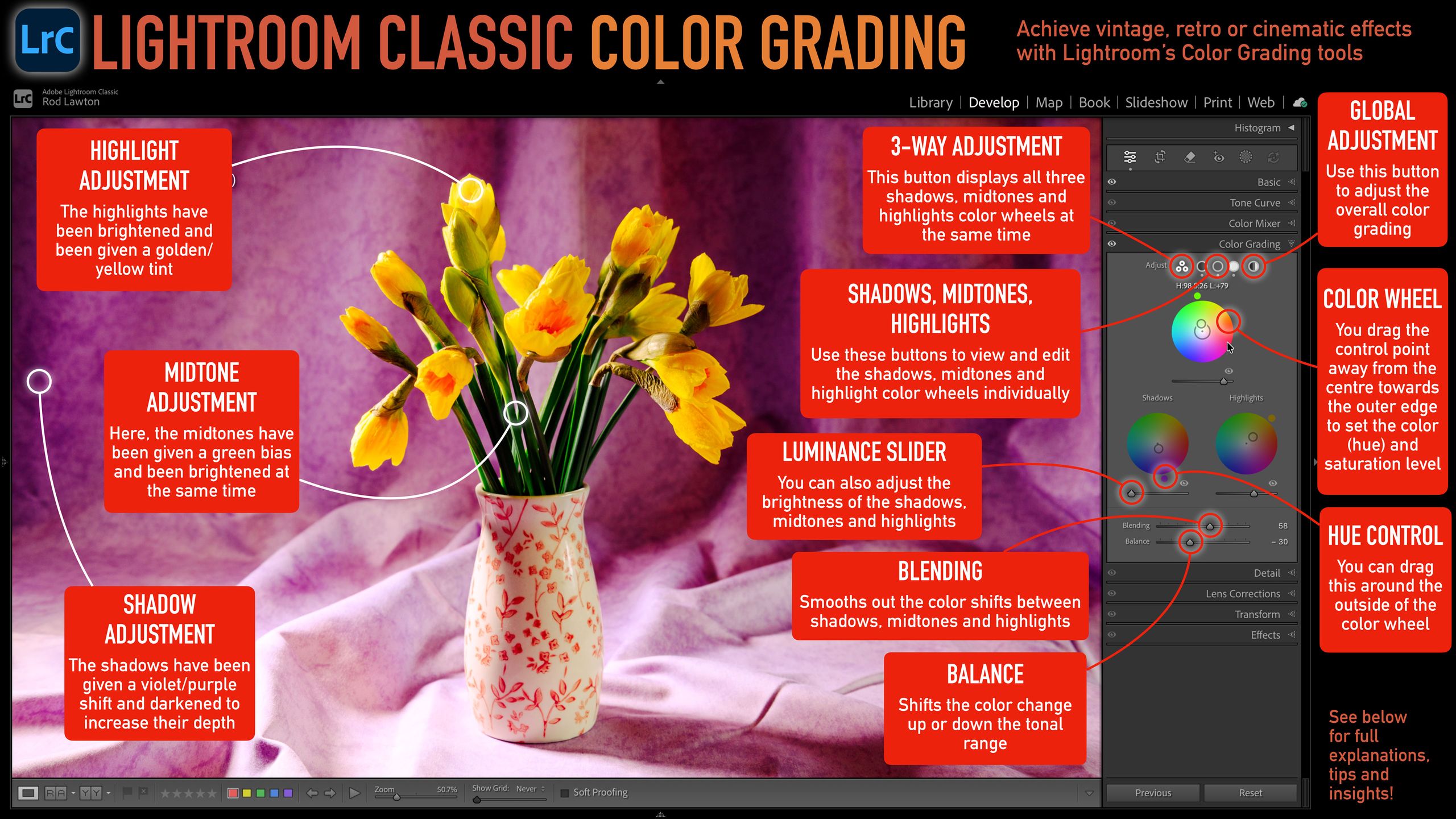
Lightroom Classic's color grading tools allow users to apply cinematic or atmospheric effects by adjusting the hue, saturation, and luminance of an image's shadows, midtones, and highlights. The interface features individual color wheels for each tonal region, with options for 3-way adjustment, individual adjustments, or a global shift. Users can save preferred color grades as presets. A downloadable cheat sheet is provided to help master these techniques.
TAKEAWAYS
Color grading in Lightroom Classic adjusts shadows, midtones, and highlights for cinematic effects.
Tools include color wheels for hue and saturation, plus luminance sliders for brightness.
Adjustments can be made globally or individually for each tonal range.
Saved color grades can be used as presets for future edits.