SUMMARY
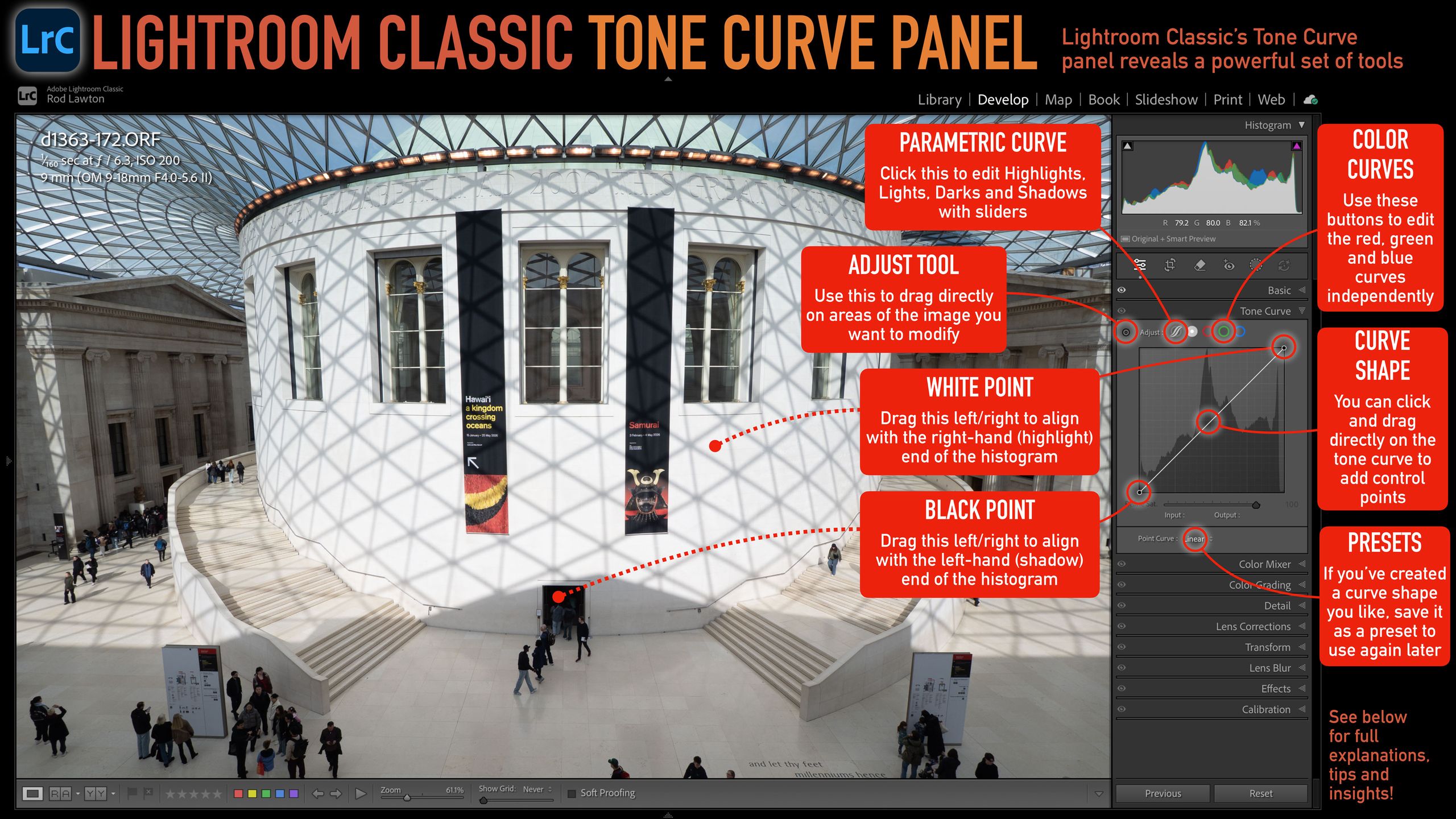
Lightroom Classic's Tone Curve panel offers powerful adjustments for photo tonal range and contrast. The guide covers the Parametric Curve for slider-based adjustments, the Adjust tool for targeting specific image areas, and setting white and black points. It also touches on editing individual RGB color channels and utilizing curve presets for repeated edits, emphasizing how these features enhance the tool's power and intuitiveness.
TAKEAWAYS
Lightroom Classic's Tone Curve panel allows detailed control over photo contrast and brightness.
Features include a Parametric Curve with sliders for tonal regions and an Adjust tool for direct image manipulation.
Users can set white and black points and edit individual RGB color channels for advanced effects.
The panel supports saving custom curve presets for efficient workflow.