SUMMARY
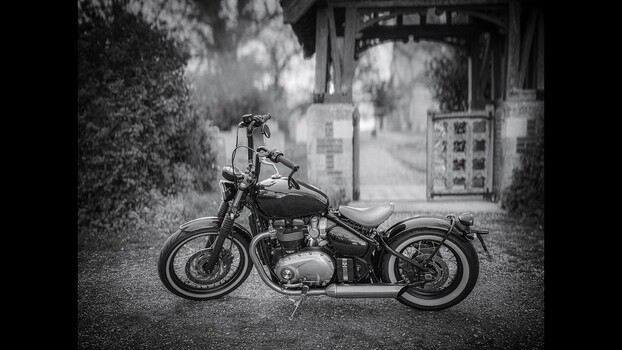
Jamie R Mathlin demonstrates how to elevate a casual iPhone 15 Pro JPEG into a dramatic, film-toned black and white photograph. The process begins in Lightroom with tonal adjustments, AI-powered content removal, and simulating shallow depth of field with Lens Blur. The image is then enhanced in Luminar Neo with effects like Mystical and selective lighting to add atmosphere. Finally, the edit returns to Lightroom for fine-tuning, including a unique color toning step to mimic darkroom chemical tones, showcasing how subtle adjustments can drastically alter a monochrome image's character.
TAKEAWAYS
An iPhone JPEG of a motorcycle is edited into a dramatic black and white image.
Lightroom's AI Remove and Lens Blur tools simulate professional camera effects.
Luminar Neo's Mystical and Light Depth tools add atmospheric qualities.
Final toning in Lightroom mimics darkroom chemical effects for unique monochrome character.