
Fujifilm X100VI Workflow Mimics Film Aesthetics
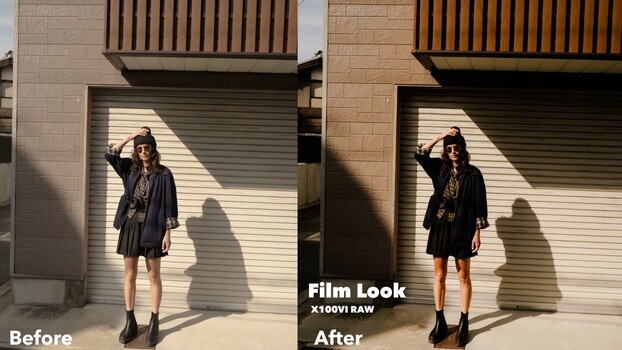
Summary
Samuel Elkins shares his raw editing workflow for the Fujifilm X100VI, explaining why he prefers raw files over JPEGs for greater control and future re-editing flexibility. His process involves setting an intentional warm white balance, using gradient masks to softly roll off highlights, and slightly reducing overall sharpness to avoid a clinical digital look. Elkins also discusses protecting highlights by underexposing slightly and using Lightroom's AI masking for efficient skin tone adjustments, all contributing to a natural, film-like image.
Key points
- Samuel Elkins uses raw files with the Fujifilm X100VI for maximum editing control.
- Workflow includes intentional warm white balance and gradient masks for soft highlights.
- Subtle sharpness reduction and careful highlight management create a film aesthetic.
- AI masking in Lightroom aids efficient skin tone adjustments in portraits.